AI Professional Headshot
AI headshot generator that keeps your face, not a stranger's
Studio-quality headshots from the photo already on your phone.


Prompts to try in the app
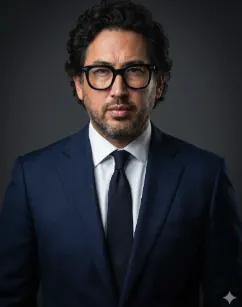
- “Make this a professional headshot with a soft grey studio background”
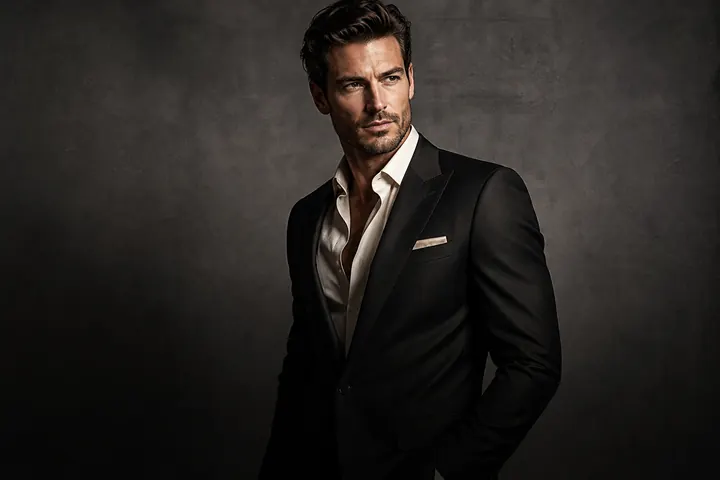
- “Corporate headshot, navy blazer, soft window light”
- “Clean LinkedIn headshot, keep my natural skin texture”
Why an AI headshot?
A photographer, studio and retouching session can cost more than a month of software. Most people only need one great, current photo for LinkedIn, a company "about" page, a speaker bio or a résumé. PhotoCrafter's Professional Headshot style takes a selfie or casual portrait and rebuilds the lighting, background and framing around you.
What it changes — and what it doesn't
Every PhotoCrafter style starts from the same rule: keep the facial features of the person in the uploaded photo exactly consistent. The style changes the light, background, wardrobe polish and framing; it never swaps in a different face, skin tone or age. That matters for a headshot, because it has to look like you on the video call.
Getting the best result
- Use a front-facing photo with your eyes clearly visible.
- Window light beats overhead light — avoid harsh shadows across the face.
- Shoot at eye level with the phone about an arm's length away.
- If the first version isn't right, type what to change ("warmer light", "less contrast") and compare versions side by side.
Want the full walkthrough? Read how to make a professional headshot from a selfie.
How to use AI Professional Headshot in PhotoCrafter
- 1
Open PhotoCrafter
Download PhotoCrafter on iPhone, iPad or Android and open the app.
- 2
Add your photo
Tap + and pick a clear, well-lit photo from your camera roll.
- 3
Choose AI Professional Headshot
Open Styles and select AI Professional Headshot, or type an instruction like “Make this a professional headshot with a soft grey studio background”.
- 4
Refine and save
Type follow-up tweaks if you like, compare versions, then save or share.
FAQ
Can I use an AI headshot on LinkedIn?
Yes. LinkedIn asks for a photo that looks like you; PhotoCrafter keeps your facial features consistent and only changes lighting, background and polish.
Do I need a special photo?
No. A well-lit selfie or casual portrait where your face is clearly visible works best.